
If you accidentally clicked on an email about someone sharing a Google Doc with you, don't panic. It looks like it was a phishing email [1], according to a detailed account on Reddit. However, if you already clicked on it, here's what you need to do immediately.
Go to your Google account's permission settings [2] where you can control what apps and sites can access your account. Click on manage apps.
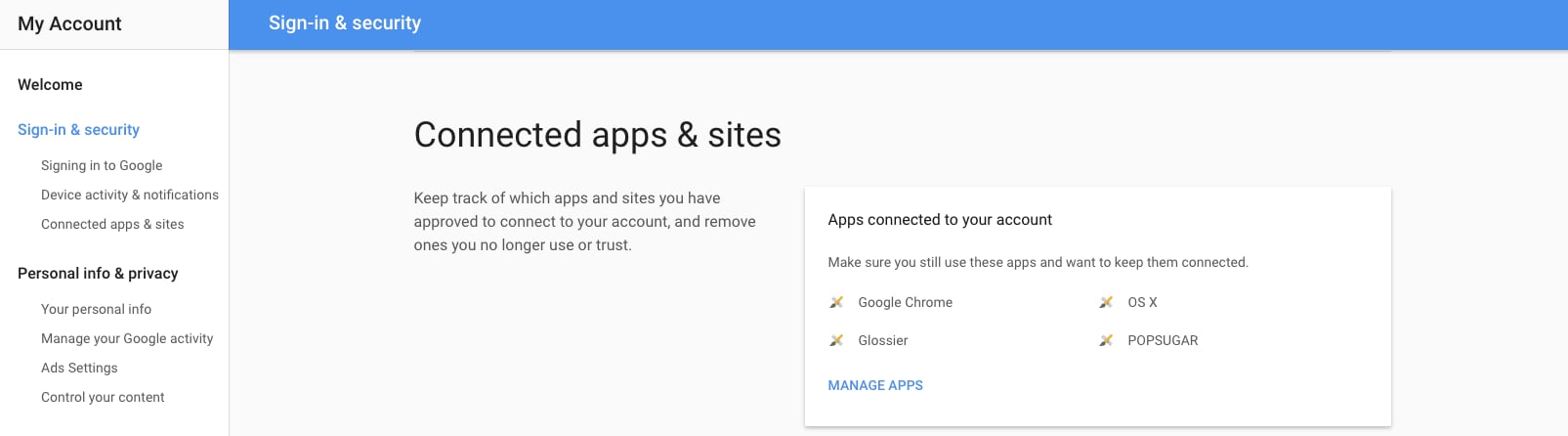
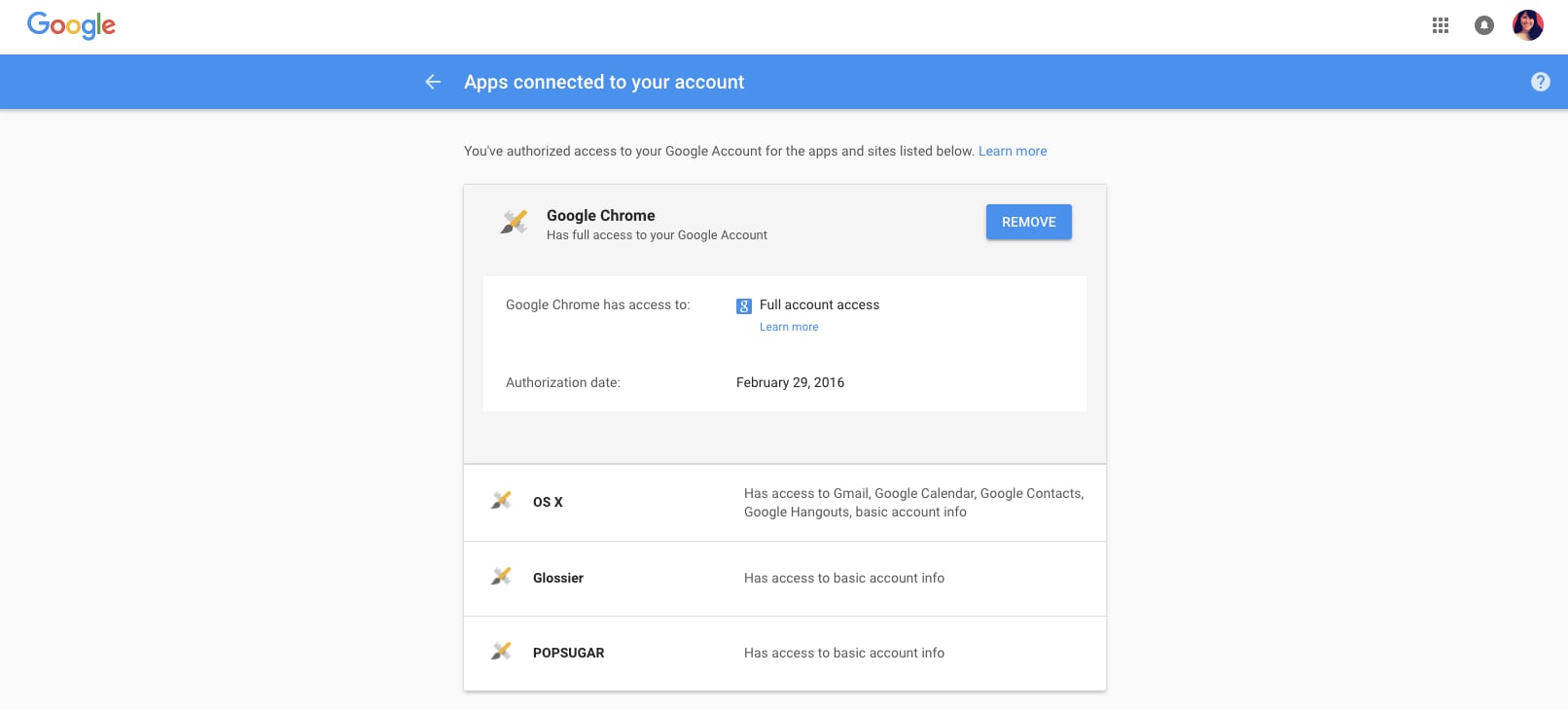
Click on the app that's labeled Google Docs. You'll see when the app was given access and a button to remove it. Click on remove. You can see what it looks like below (except my example is with Google Chrome).

This isn't a fool-proof way to protect your account, so be sure to change your password [4] as well.