How Do I Share My Location on Google Maps?
You Can Finally Share Your Location With Friends on Google Maps


Image Source: Google
Say goodbye to an endless scroll of texts from friends asking you, "where you at?", thanks to a new feature coming to Google Maps. Soon, you'll be able to share your location with friends and family on Google Maps (in just a few steps).
If you're an iOS user, the feature is pretty similar to Find My Friends, except, of course, your Android friends can finally see where you are with Google Maps. See how to use the feature, which is rolling out to both iOS and Android users soon, ahead.

Open up Google Maps and tap the three bars in the search bar.

Image Source: Google
Decide how long you'd like to share your location for.
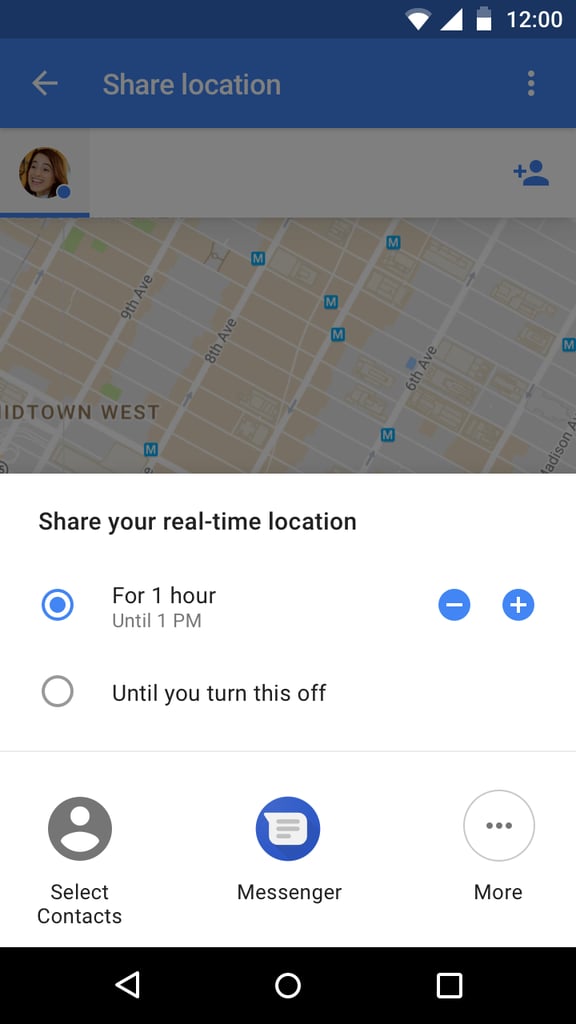
Image Source: Google
Pick who you'd like to send your location to.
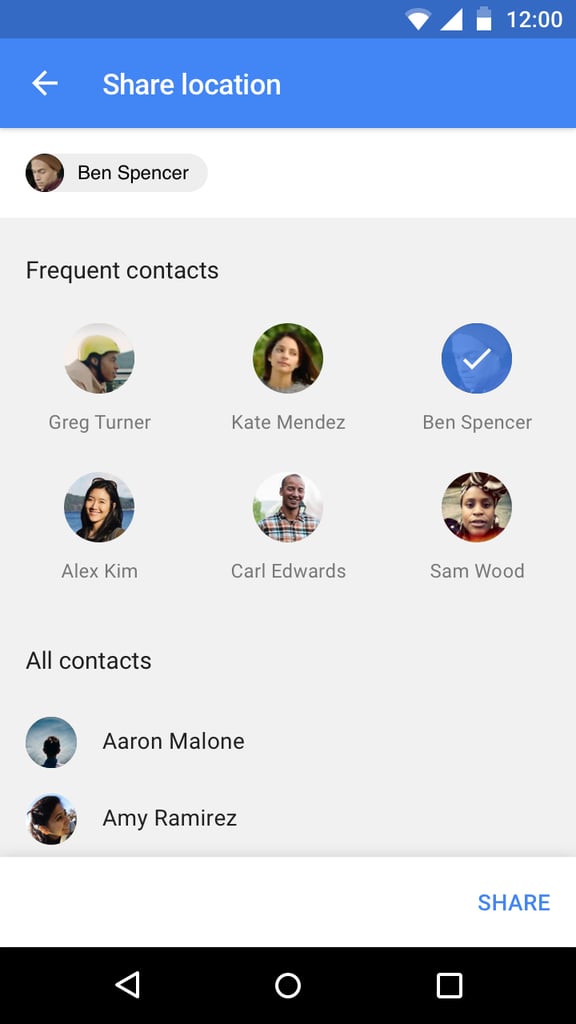
Image Source: Google
See who you're sharing a location with by going back to the map.
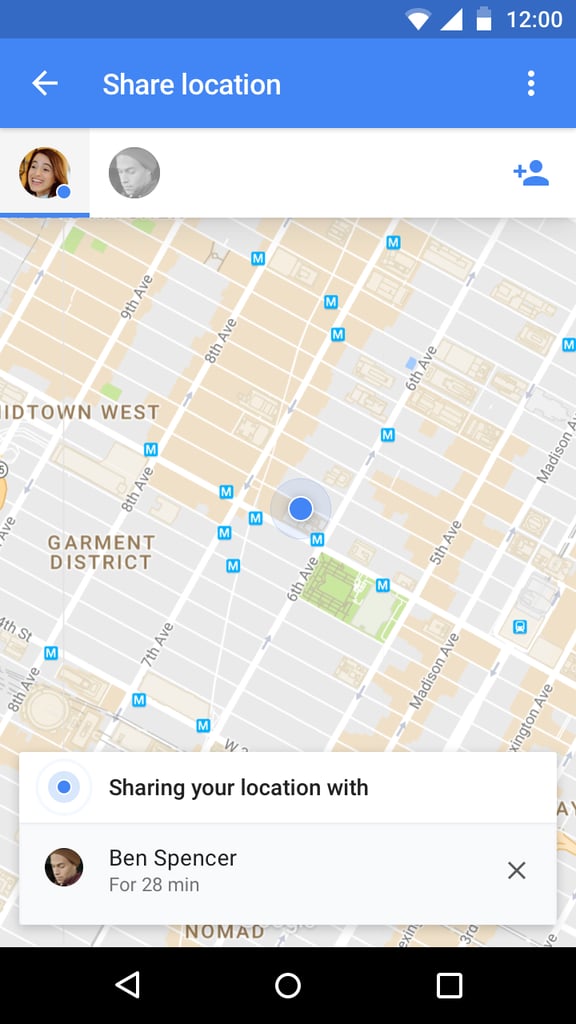
Image Source: Google
You can turn off location sharing with a simple swipe left on the screen.
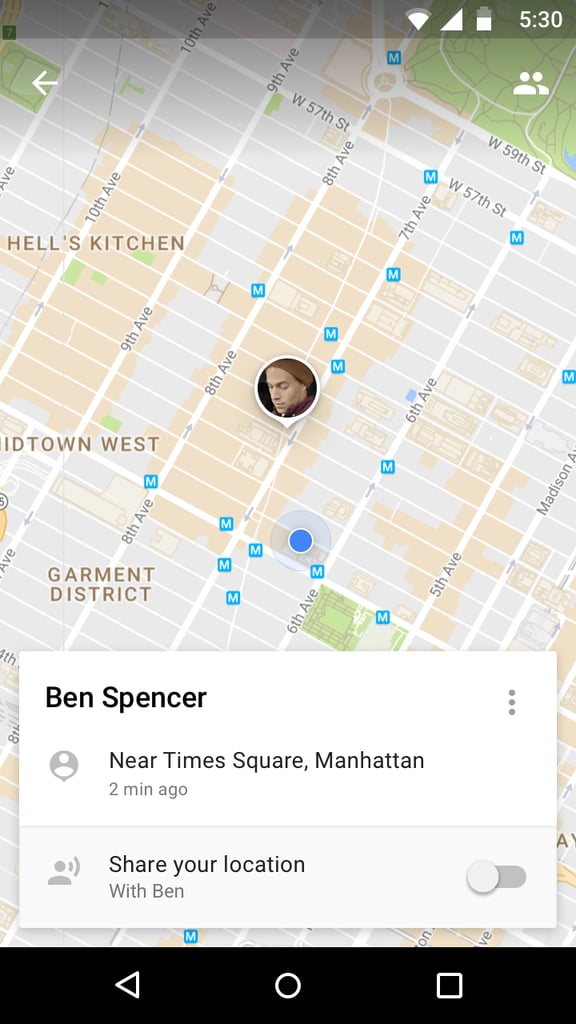
Image Source: Google
Share your trip in navigation mode as well.
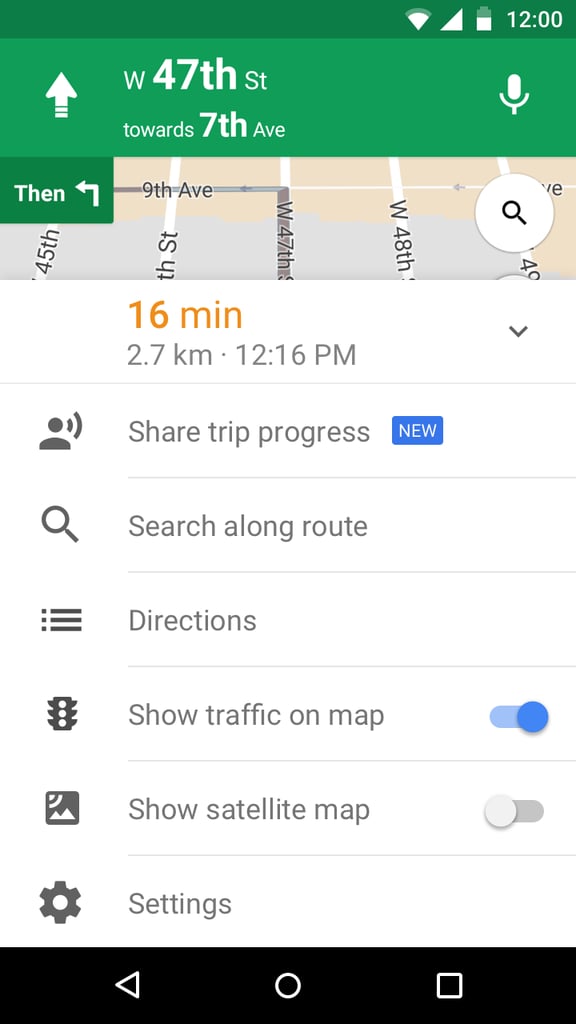
Image Source: Google
Pick who you want to share your location with.
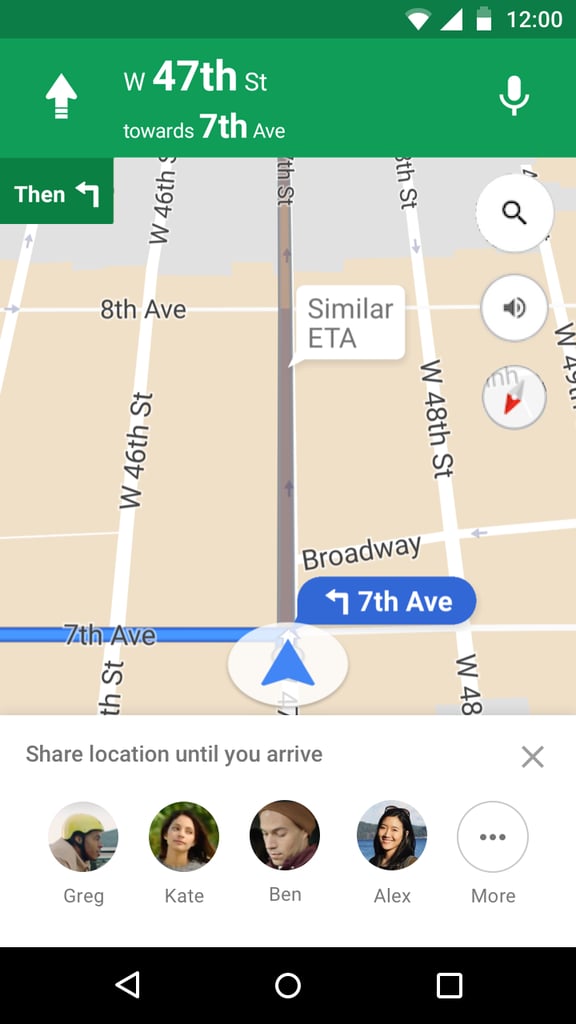
Image Source: Google