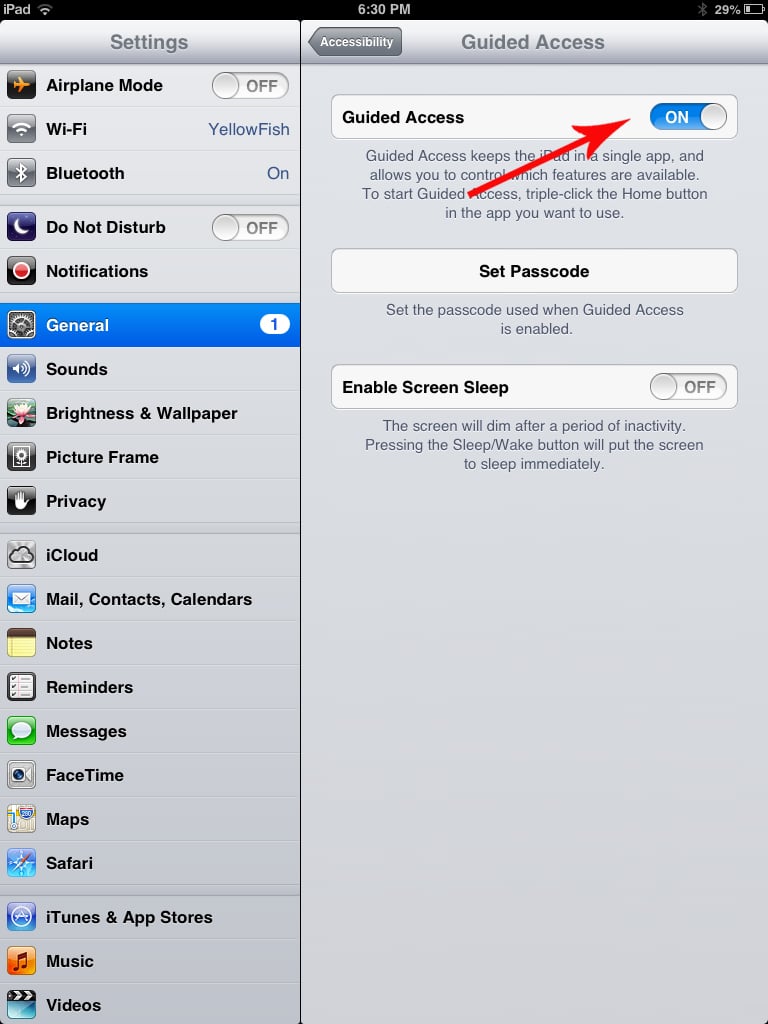
What it is: When mom opens an age-appropriate app and hands her iPad over to her tot, the last thing she wants the child to do is click the home button and move over to a different app that she may not want the tot to use. When enabled, Single App Mode ensures that kids can't click out of the app that's currently running.
To set it up, head to Guided Access, load the app you want to use, and then press the Home button three times. The app is then locked into use. When you're done with the app, press the Home button three times and enter your passcode.
How to do it: Settings > General > Accessibility > Guided Access