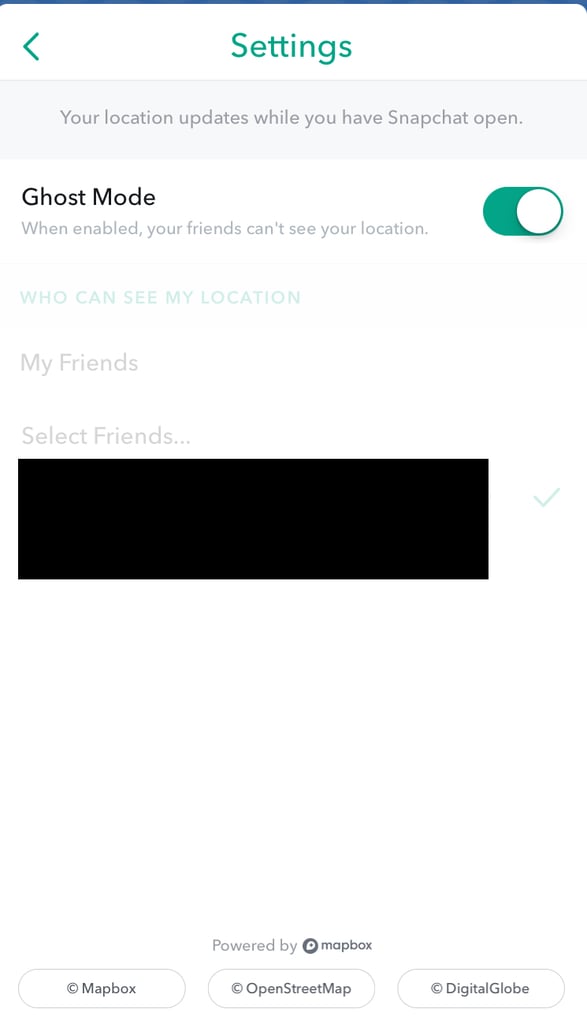
Popsugar Culture Tech Tips How to Turn Off Snap Map 3 Easy Steps to Turn Off Your Location in Snapchat's Snap Map August 8, 2017 by Ann-Marie Alcántara First Published: June 27, 2017 View On One Page Photo 3 of 4 ADVERTISEMENT () Start Slideshow Share This Link Copy ← Use Arrow Keys → 3 Swipe right on the Ghost Mode setting. Now, no one can see your location. Previous Next Start Slideshow Tech TipsDigital LifeSnapchatTechnology