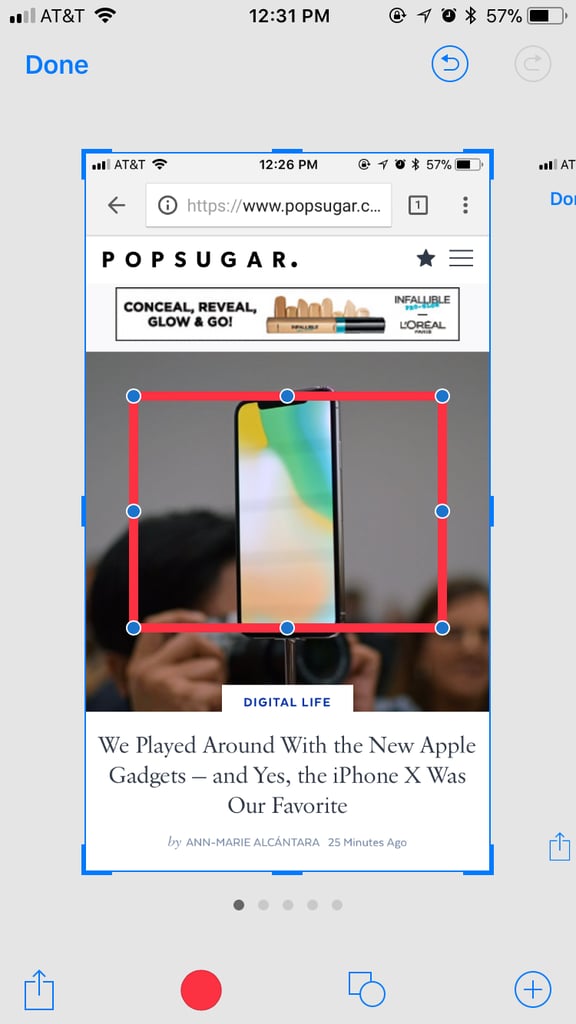
Popsugar Culture Digital Life How Do I Use Screenshots in iOS 11? Confused About Screenshots on iOS 11? Here's Every Single Tool, Explained June 7, 2018 by Ann-Marie Alcántara View On One Page Photo 5 of 12 ADVERTISEMENT () Start Slideshow Share This Link Copy ← Use Arrow Keys → 5 Add shapes. You can add a rectangle, circle, speech bubble, or arrow to your screenshot now. Just tap the plus sign at the bottom right corner to get to these tools. Previous Next Start Slideshow Digital LifeAppleTechnologyiPhoneIOS 11