How to Use iPhone's Hidden Sleep Timer
I Didn't Know How Much I Needed This Hidden iPhone Sleep Timer Until It Became a Reality


Image Source: POPSUGAR Photography / Karenna Meredith
Some people need complete and utter silence to get a good night's rest, but others require a little white noise or some bedtime tunes to drift off to sleep. If you're part of the latter group, then pick your favorite sleeping playlist and settle in, because this iPhone hack is about to make your life easier.
Letting your phone play music while you're unconscious may seem like a battery-draining disaster, but in reality there's an easy workaround.

Locate the Clock App on Your Home Screen
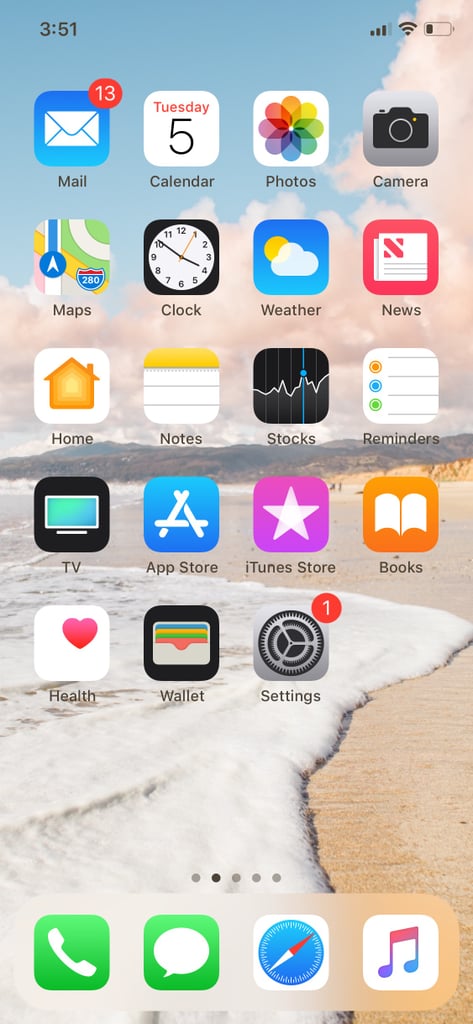
Image Source: POPSUGAR Photography / Karenna Meredith
Select the Timer Tab, Set the Timer, and Click "When Timer Ends"
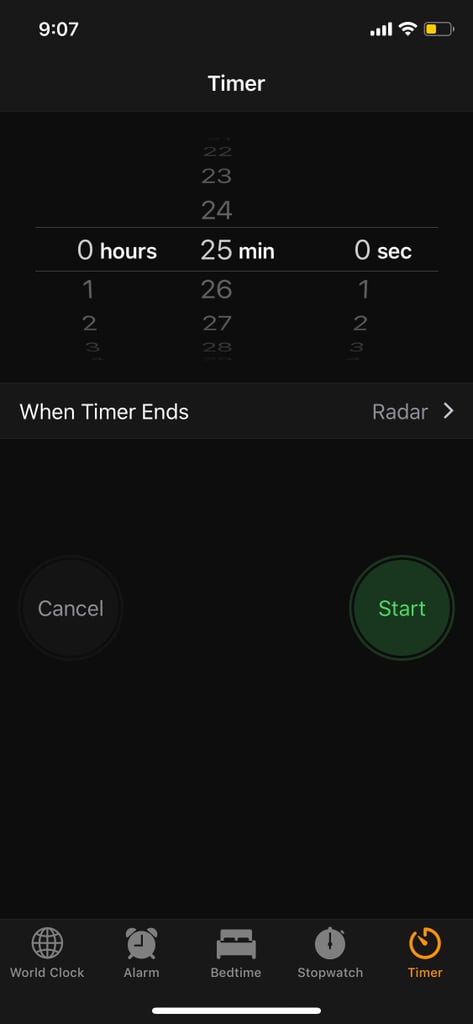
Image Source: POPSUGAR Photography / Karenna Meredith
Scroll to the End of the Page and Select "Stop Playing"
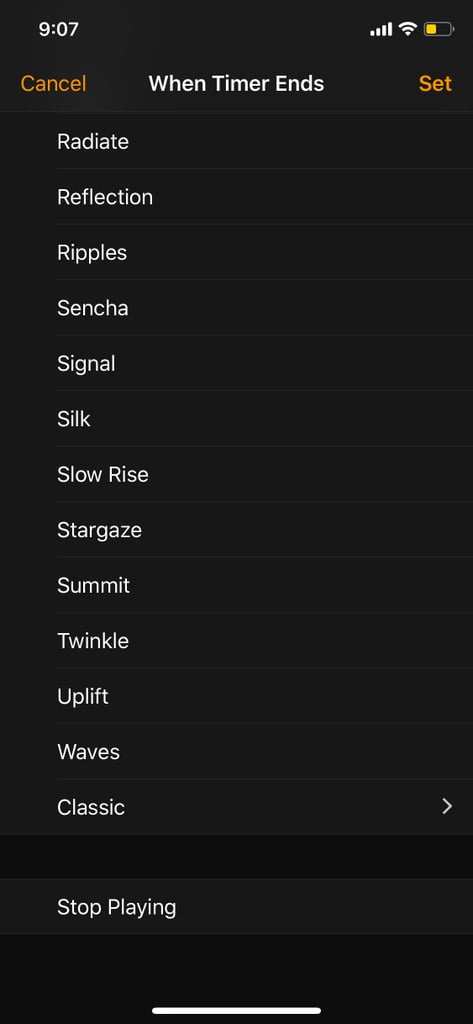
Image Source: POPSUGAR Photography / Karenna Meredith
Return to the Timer Screen and Set Your Alarm
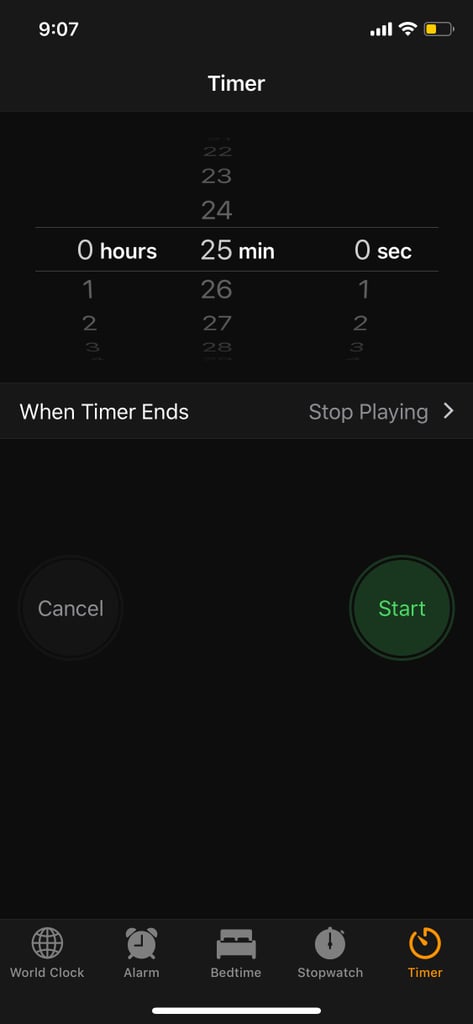
Image Source: POPSUGAR Photography / Karenna Meredith
. . . You're All Set!
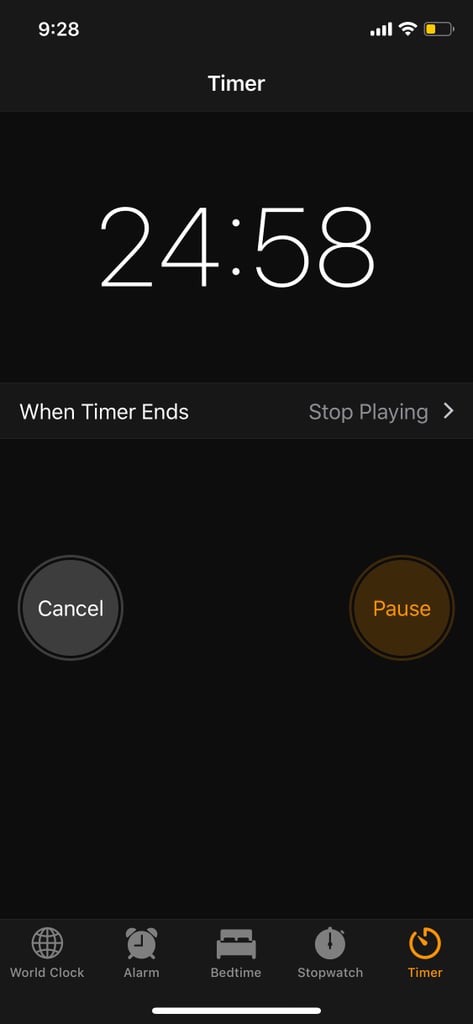
Image Source: POPSUGAR Photography / Karenna Meredith