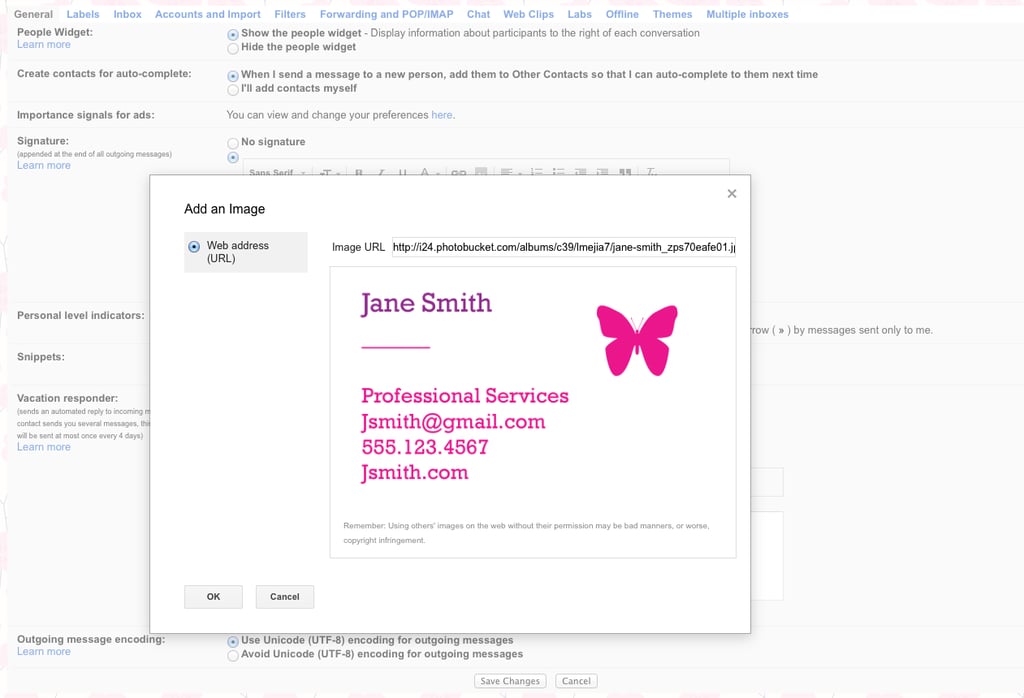
Popsugar Culture Tech Tips Gmail Signature Image How to Set Yourself Apart When Sending Email December 9, 2014 by Lisette Mejia View On One Page Photo 4 of 6 ADVERTISEMENT () Start Slideshow Share This Link Copy ← Use Arrow Keys → 4 Step 4: Click on the Photo Icon and Insert Your Image URL You'll see a box that says "Insert Image." Paste the URL, and hit "OK" once you see your photo. Previous Next Start Slideshow