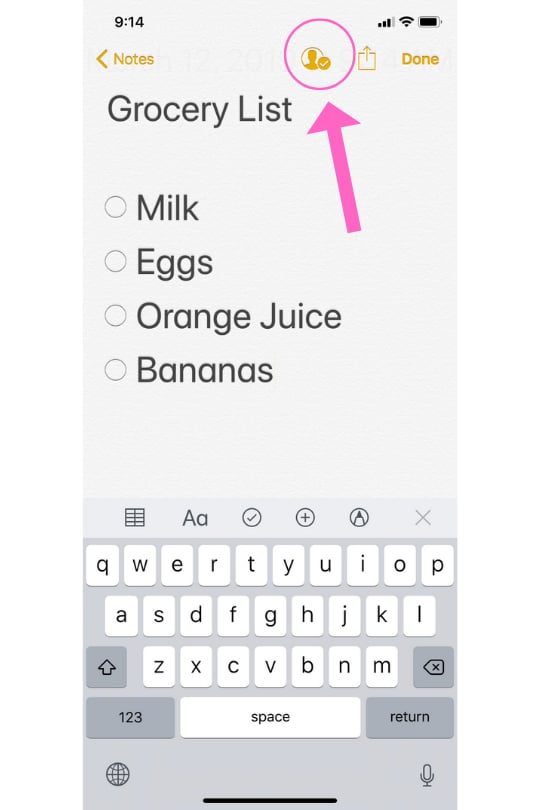
Popsugar Culture Tech Tips How to Add People to an iPhone Note In News That Just Changed My Life, You Can Add People to an iPhone Note So Everyone Can Edit It August 20, 2019 by Cristina Margolis View On One Page Photo 1 of 5 ADVERTISEMENT () Start Slideshow Share This Link Copy ← Use Arrow Keys → 1 Click on the "Add Friends" Icon After you've selected which note you would like to share, click on the "Add Friends" icon. It's located toward the top right of your screen. Previous Next Start Slideshow