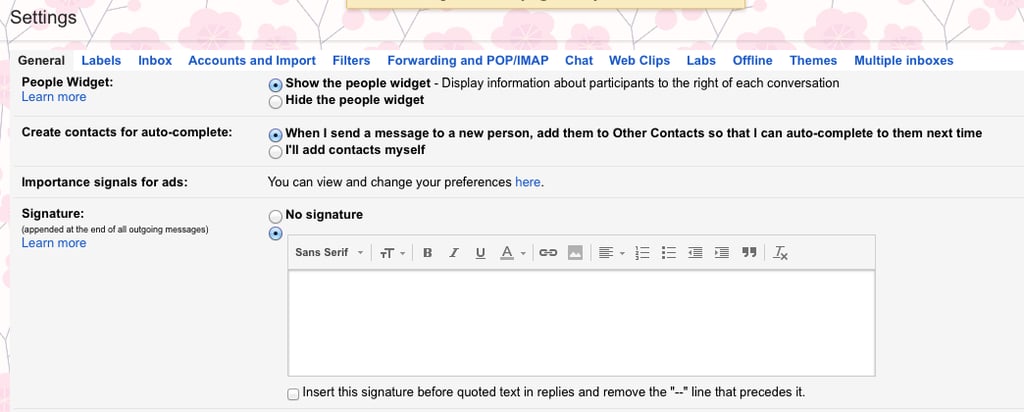
Popsugar Culture Tech Tips Gmail Signature Image How to Set Yourself Apart When Sending Email December 9, 2014 by Lisette Mejia View On One Page Photo 3 of 6 ADVERTISEMENT () Start Slideshow Share This Link Copy ← Use Arrow Keys → 3 Step 3: Back in Gmail, Find the "Signature" Setting Do this by going to "Settings" and scrolling down in the general tab until you get to "Signature." Previous Next Start Slideshow