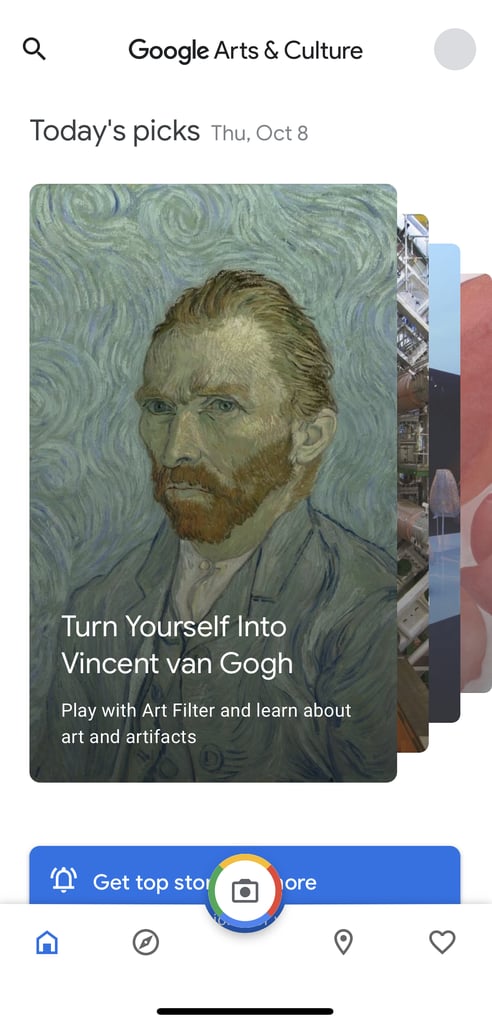
Popsugar Culture Tech Tips How to Use Google Arts & Culture App's New Selfie Art Filter The Google Arts & Culture App Has a New Filter That Transforms Your Selfies Into Works of Art October 11, 2020 by Victoria Messina First Published: October 8, 2020 View On One Page Photo 2 of 10 ADVERTISEMENT () Start Slideshow Share This Link Copy ← Use Arrow Keys → 2 On the App's Home Screen, Click Where It Says "Turn Yourself Into Vincent van Gogh" If this happens to disappear from the home screen, you can click the camera icon in the middle, then select the "Art Filter" option. Previous Next Start Slideshow