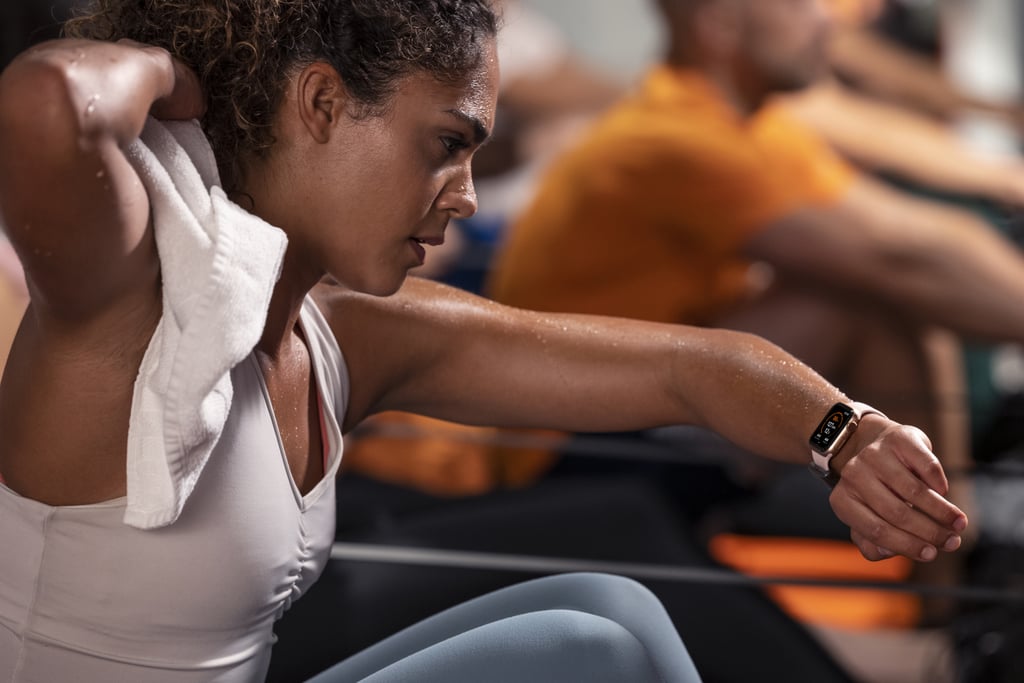
While I enjoy working out at Orangetheory with my OTbeat Burn, I also wear my Apple Watch (because if you work out but don't track it on your Apple Watch, did it really happen?) and it feels like I'm wearing a lot of devices. Also, the results on each device vary a little because there's no ideal setting on your Apple Watch to track an Orangetheory workout; I typically track "indoor run" for the treadmill portion and then "cross-training" for the floor.
Having all the stats in one place was a game changer. Instead of trying to strain my neck to see my stats on the screen, they were right on my wrist. I could easily look down and track my heart rate, calories burned, and Splat points. I also like that the app isn't activated until the class starts, so you get your data in real-time along with the rest of the class. While the treadmill and rower screens at the NYC locations I go to show your data, the OTbeat Link is especially helpful on the floor where the stats aren't as readily available. It also displays a timer that shows how long you've been in class so you can track when the 60 minutes are up.
When you finish the workout, it displays the stats that you always get at the end of the class, including how much time you spent in the various heart rate zones (grey, blue, green, orange, and red). The best part? It also syncs up to your own activity rings, so the workout contributes to closing those ever-important move and exercise rings.
And while I just tested out the OTbeat Link with an Apple Watch on loan at NYC's SoHo studio, I am excited to get my own OTbeat Link to check out all the features on the revamped app for Apple Watch.